
Follow this simple guide to set up your SilentLink product in just a few minutes and get it ready to use.
Attach your SilentLink product to a suitable location so it stays secure and is easily accessible at all times. The QR code should be clearly visible.
AutoTag: Inside of the windshield
KeyGuard: Directly on your keychain
PetSafe: On your pet's collar
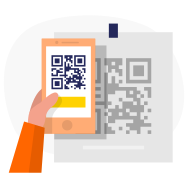
Hold your smartphone up to the NFC tag or scan the QR code with the camera app. You will be automatically redirected to the setup page.
Check if your smartphone's NFC function is activated if you want to use this method.
Enter the activation code from the packaging and personalize your product. Set a name and choose your notification settings.
Enter the activation code.
Choose a name for your product.
Optionally upload a photo.
Create an account or log in.
Your SilentLink product is now fully set up and ready to use. From now on, you are reachable without revealing your private data.
🎉 Your product is now active!


Our support team is happy to help you set up your product or answer your questions.
